
How to Extract Audio from Video — Free Online Tool
Pull audio from any video file as MP3, WAV, FLAC, AAC, or OGG. Free browser-based tool with no upload required.
Why Extract Audio from Video?
There are many situations where you want just the audio from a video file:
- Podcasts from interviews — You recorded a video call but only need the audio for your podcast feed
- Music from live performances — Extract the audio track from a concert recording
- Voice notes from meetings — Pull the audio from a screen recording or Zoom export
- Sound effects — Grab audio clips from video for use in other projects
- Transcription prep — Audio files are smaller and easier to feed into transcription tools
Most audio extraction tools require you to upload your video to a server. MacroKit's Audio Extractor does it entirely in your browser.
How It Works
The Audio Extractor uses FFmpeg WebAssembly to process video files locally. When you drop a video onto the tool, the audio track is extracted directly in your browser. The video file never leaves your device.
You can export the audio in five formats:
- MP3 — Universal compatibility, good compression
- WAV — Uncompressed, perfect quality, large files
- FLAC — Lossless compression, smaller than WAV with no quality loss
- AAC — Modern compression, great quality at small sizes
- OGG — Open-source format, good compression
Step-by-Step Guide
Step 1: Open the Audio Extractor
Go to the Audio Extractor page and drop your video file.
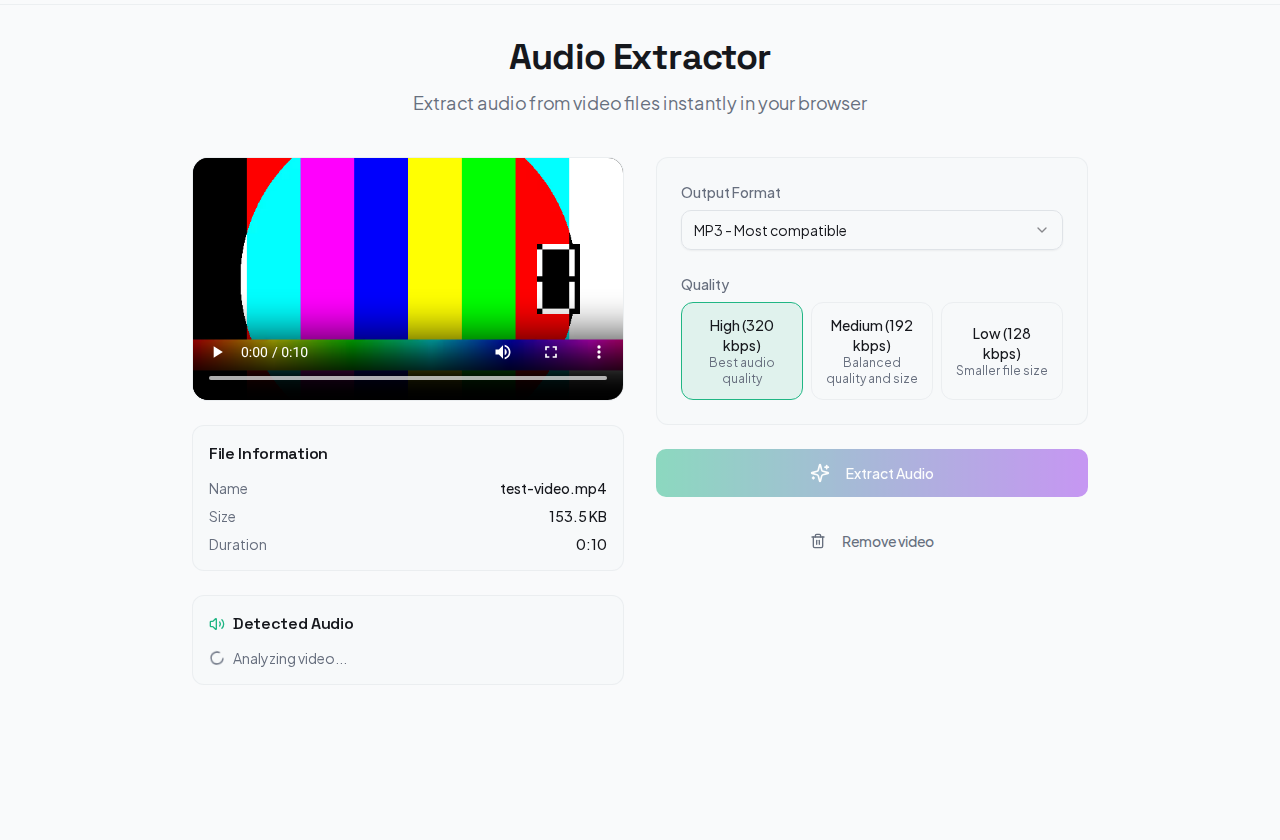
Step 2: Choose Audio Format
Select your preferred output format. MP3 is the safest choice for general use. FLAC if you need perfect quality. AAC for the best balance of quality and file size.
Step 3: Set Quality
Choose between High, Medium, and Low bitrate. Higher bitrate means better audio quality but larger files.
Step 4: Extract and Download
Click extract. The tool pulls the audio track from your video and lets you download it.
Which Audio Format Should You Choose?
MP3 if you need maximum compatibility. Every device, app, and platform supports MP3. Quality is good enough for speech and most music.
FLAC if quality matters more than file size. FLAC is lossless — the extracted audio is identical to what is in the video. Great for music production or archiving.
AAC if you want modern compression. AAC sounds better than MP3 at the same file size. Supported by all modern devices and browsers.
WAV if you need raw, uncompressed audio for professional editing. Files will be large.
OGG if you are working in open-source tools like Audacity or need web-compatible audio without licensing concerns.
Privacy
Your video and audio files never leave your device. There is no upload, no server processing, and no storage. When you close the tab, the data is gone.
Try It Now
Need audio from a video? Open the Audio Extractor — free, private, no account needed.
Related Guides
- How to Split Video Online Free — Cut video into clips by duration, size, or custom timestamps
- How to Convert Video Format Online — Change between MP4, WebM, MKV, and 12+ formats
- All Video Tools — Browse the full collection of free video tools